Sitecore works best for storing users and custom user
profile properties for a user. It works based on .Net Security Mechanism. Custom
profile properties are very much useful when you need to store information of a
user which you need to be available throughout the system. It can be accessed
anytime. No need for doing database transactions for the values which are
stored as a custom property for a user. It can be used to store values for a user like Full Name, Birthdate, Gender, etc.
I have built a demo application for you to understand in an
easy and simple way of implementing Sitecore User Profile Custom Properties.
Here we are storing Full Name in custom properties with the Property Name “Full Name”.

Let us first do Sitecore Configurations.
(1) We’ll first start with the properties that we want to store.
Sitecore Path: /sitecore/templates/Users/Custom Profile
Here we have created a new folder Users and added a new template Custom Profile derived from Template. You can create a new template anywhere under the templates section.


(2) Normally the user get stored with Profile - User: /sitecore/system/Settings/Security/Profiles/User

Add a new Item with the Template
that you newly created.

Our Sitecore Configurations are done! J But we haven’t finished yet.
Now we'll start with Create User Account:
var user = Sitecore.Security.Accounts.User.Create("Consumer\\" + "info@nikkipunjabi.com", "nikki");
user.Profile.ProfileItemId = "{6D01FC92-6B3A-4D17-84A9-FE1BD20E0D3E}";
user.Profile.SetCustomProperty("Full Name", "Nikki Punjabi");
user.Profile.Save();
user.Profile.Reload();Now this will create a new user and will have “Nikki Punjabi” as a value of Custom Property – “Full Name”.
bool loggedIn = Sitecore.Security.Authentication.AuthenticationManager.Login("Consumer\\" + "info@nikkipunjabi.com", "nikki");
if (loggedIn)
{
      string customPropertyValue = Sitecore.Context.User.Profile.GetCustomProperty("Full Name");
}
You can also see the Custom Property Values for a user in Sitecore.

Demo Application:
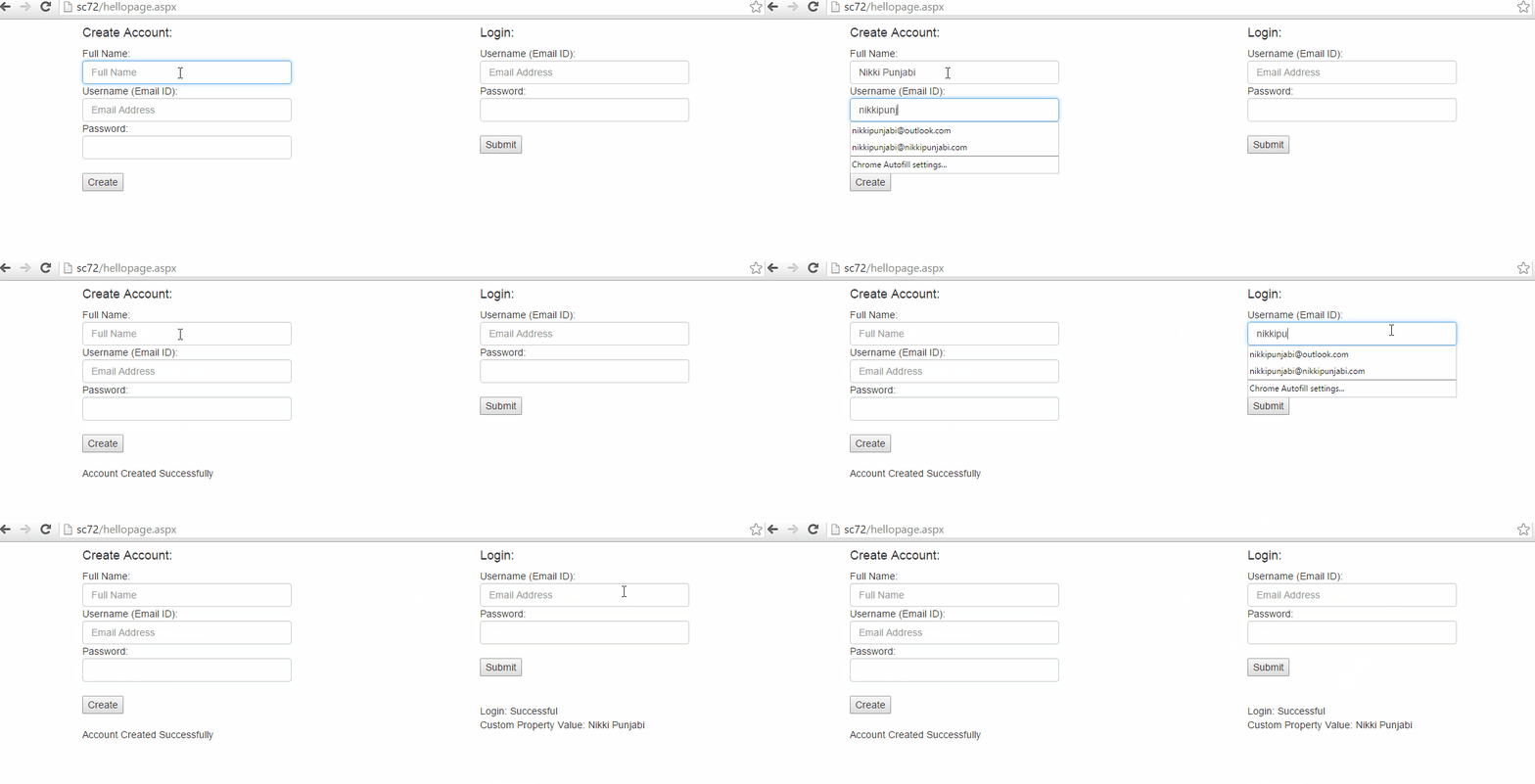
Demo Application File: Download
If you know any other better approach or have any good idea then do give a shout by contacting me.
Reference:
https://briancaos.wordpress.com/2014/06/12/sitecore-users-custom-profile-properties/
Good Reads:
https://sdn.sitecore.net/upload/sitecore6/sc61keywords/security_api_cookbook_usletter.pdf